Form 8849 Online Filing Guide
What is Form 8849?
Form 8849 is used by businesses to claim refunds of certain federal excise taxes that have already been paid. These refunds typically apply to specific situations such as nontaxable uses of fuel, exports, or other eligible credits. Instead of adjusting liabilities on Form 720, taxpayers can directly claim eligible refunds using Form 8849 along with the appropriate schedules.
Form 8849 allows businesses to recover overpaid excise taxes efficiently by filing claims either quarterly or as needed, depending on the type of claim and schedule used.
In this comprehensive guide, we will walk you through the step-by-step process of submitting your Form 8849 online using QuickFile720, the IRS-authorized 8849 e-filing portal, ensuring a smooth and hassle-free refund claim experience.
Form 8849 Refund Claim - Step-by-Step Online Filing Guide(with QuickFile720)
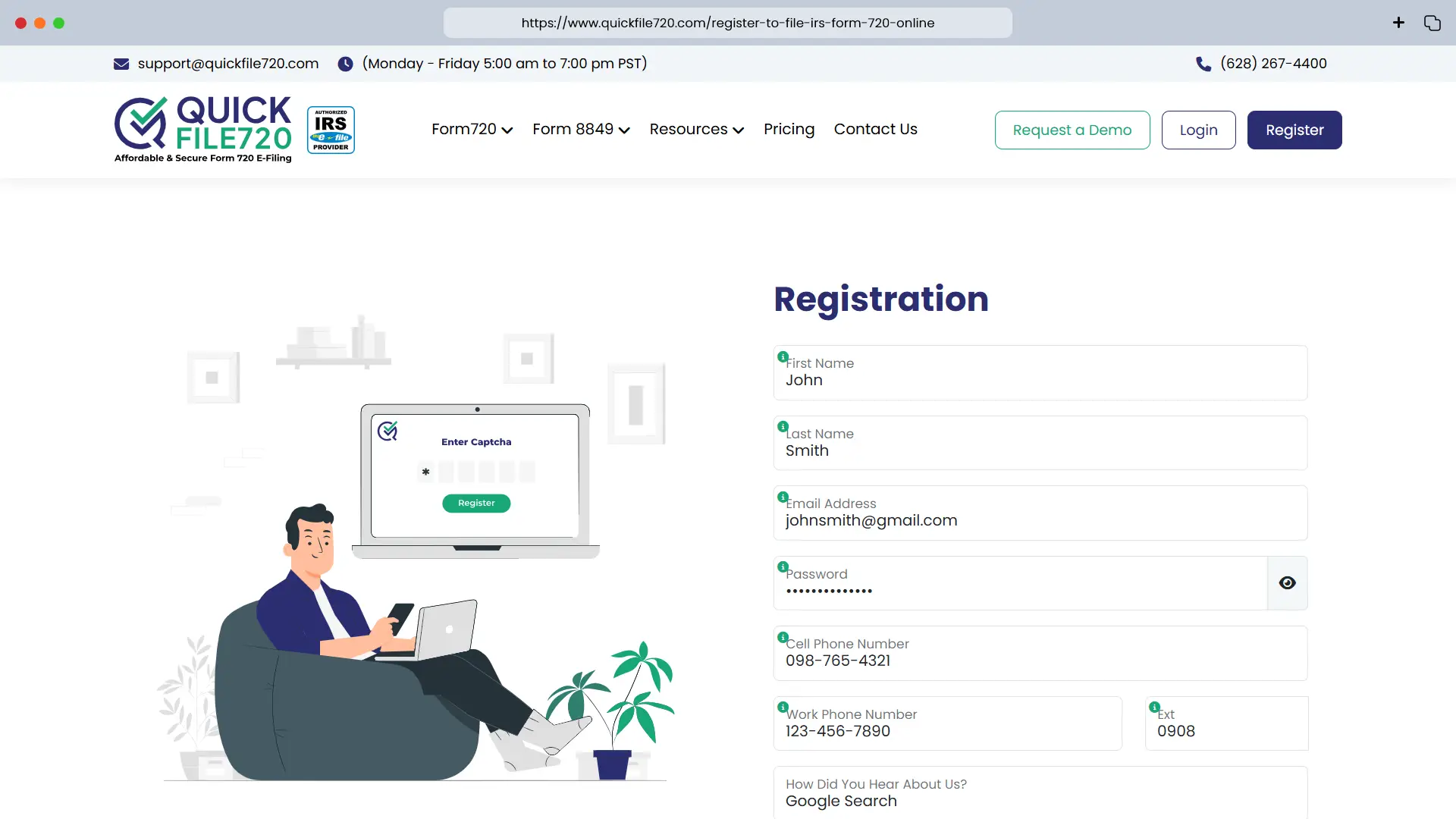
 Step 1: Registration/Login
- New Users: Click on the Register button and enter your basic details to create an account. Once registered, log in with your credentials.
- Existing Users: Simply log in using your existing credentials to access your account.
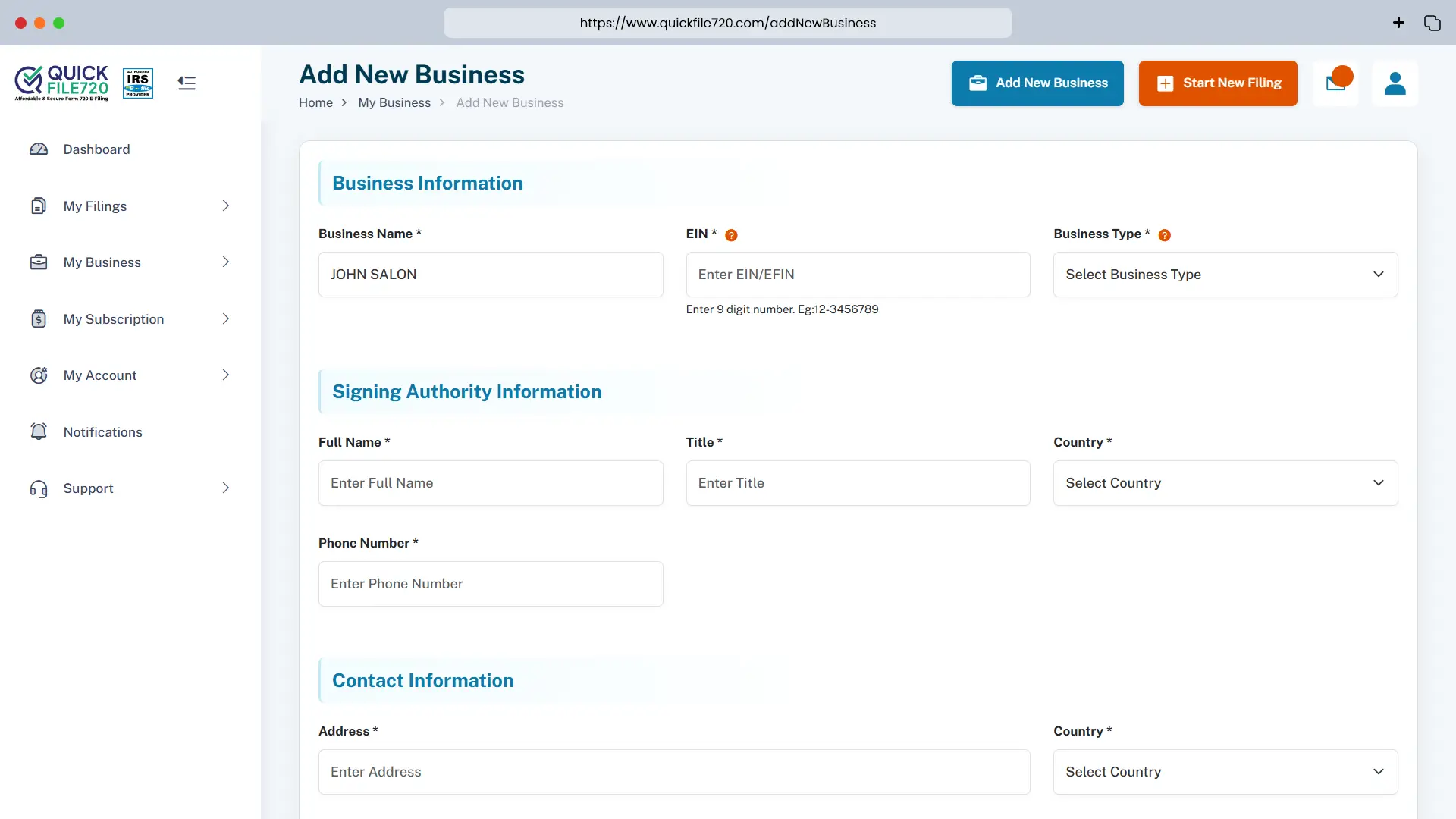
Step 2: Add New Business (For New Users)
Click on Add New Business and enter your business details:
- Business Name
- Employer Identification Number (EIN)
- Business Type
- Address (with Zip Code) and Phone Number
- Signing Authority Information (Name, Title, Country, and Phone Number)
Your business information will be securely stored in our database for future filings.
- Existing Users: Select your pre-registered business from the dropdown list.
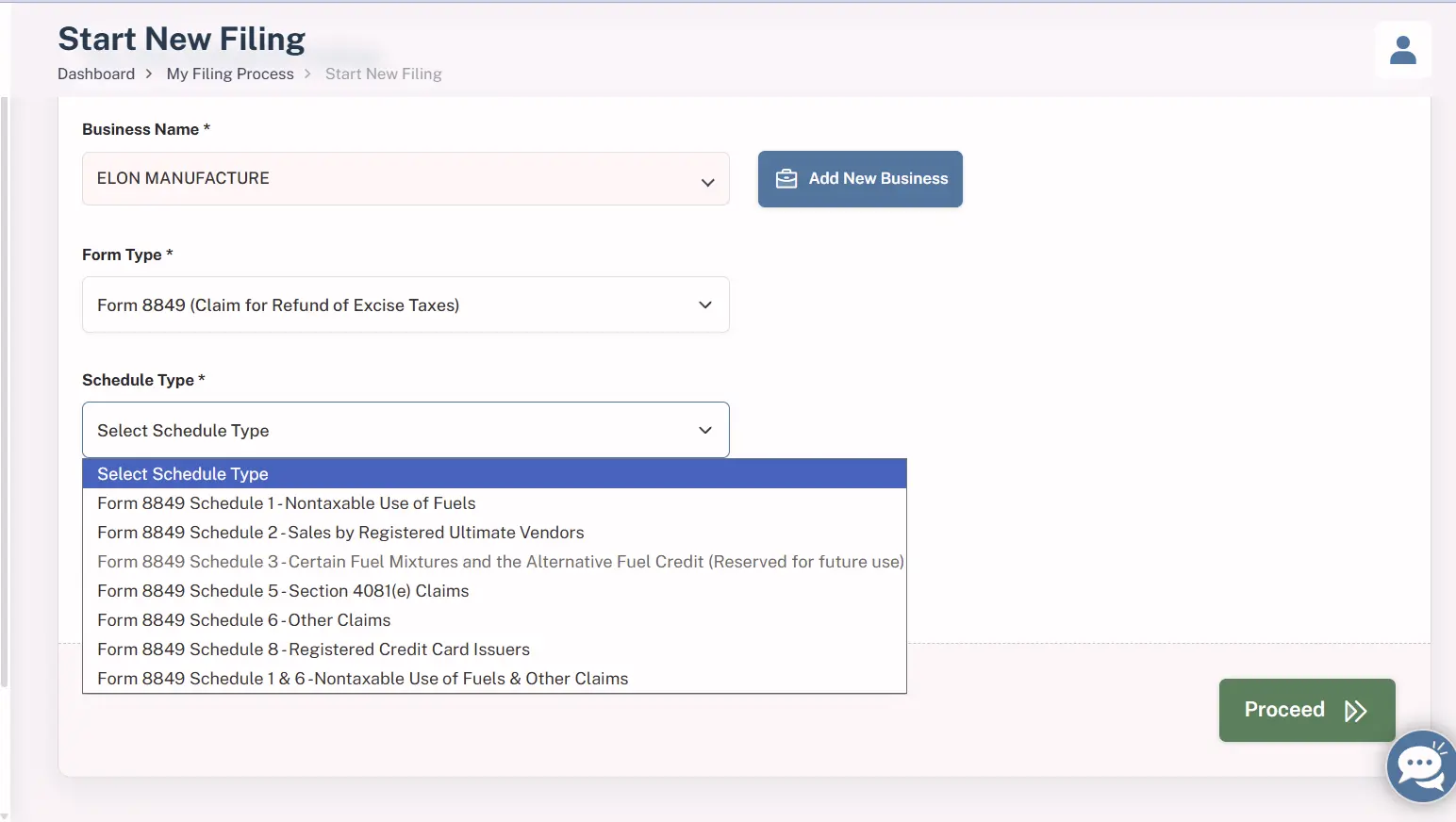
Step 3: Select Form Type
- From the FormType dropdown menu, choose Form 8849 and its Schedule Type.
- Enter the Tax Year and the month your income tax year ends.
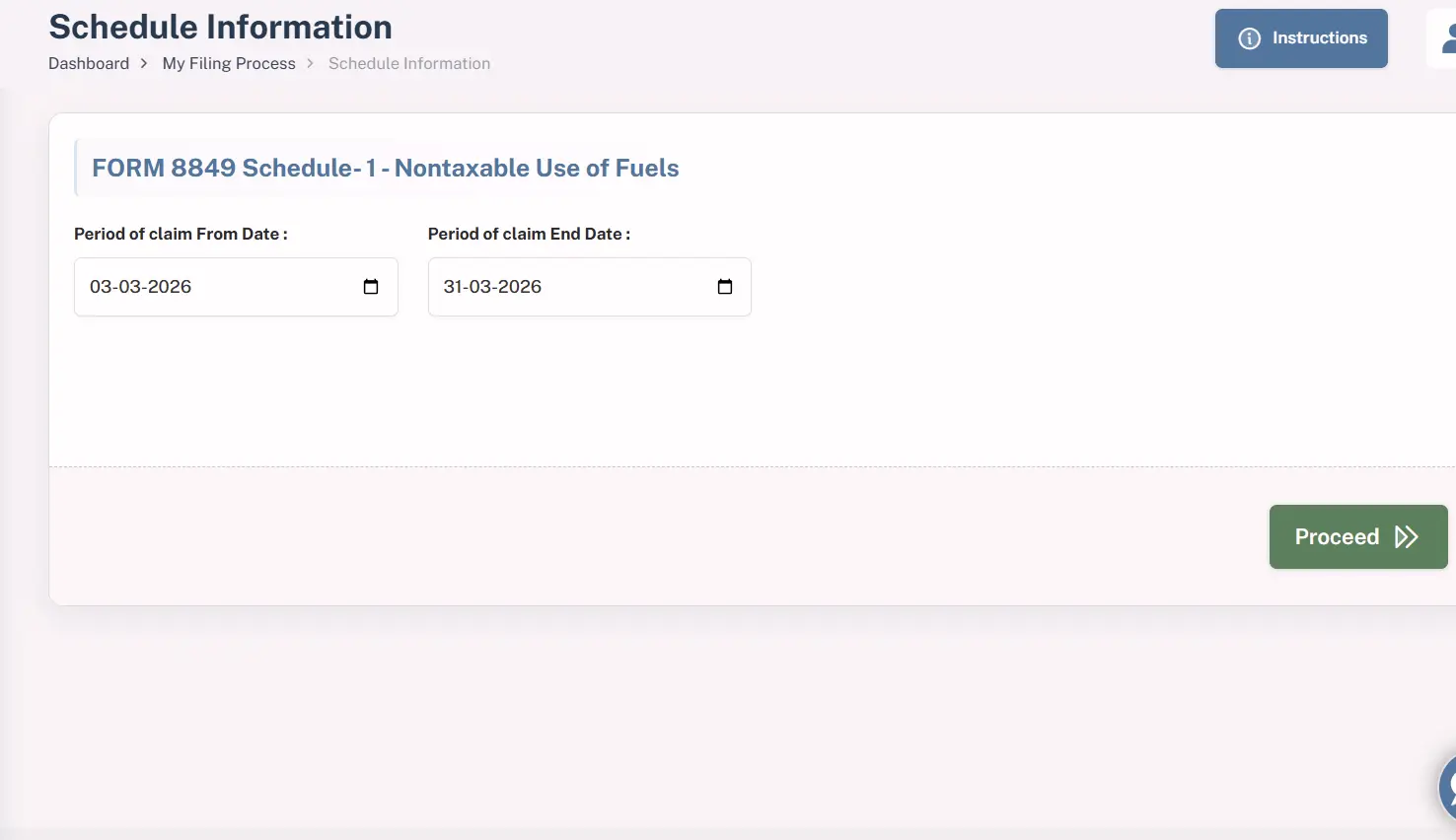
Step 4: Provide Schedule Information
Based on the selected schedule type, you will be prompted to enter specific details required for that claim.
For this guide, we've used Form 8849 Schedule 1 as an example. You can select the appropriate 8849 schedule based on your specific requirements. (Read the Form 8849 instructions guide for a detailed understanding of each schedule.)
For Schedule 1, you need to provide the claim period by entering:
- Period of Claim - From Date: The start date of the period for which you are claiming the refund
- Period of Claim - End Date: The end date of the period for which you are claiming the refund
Ensure that the dates accurately reflect the eligible claim period, as this determines the validity and processing of your refund request.
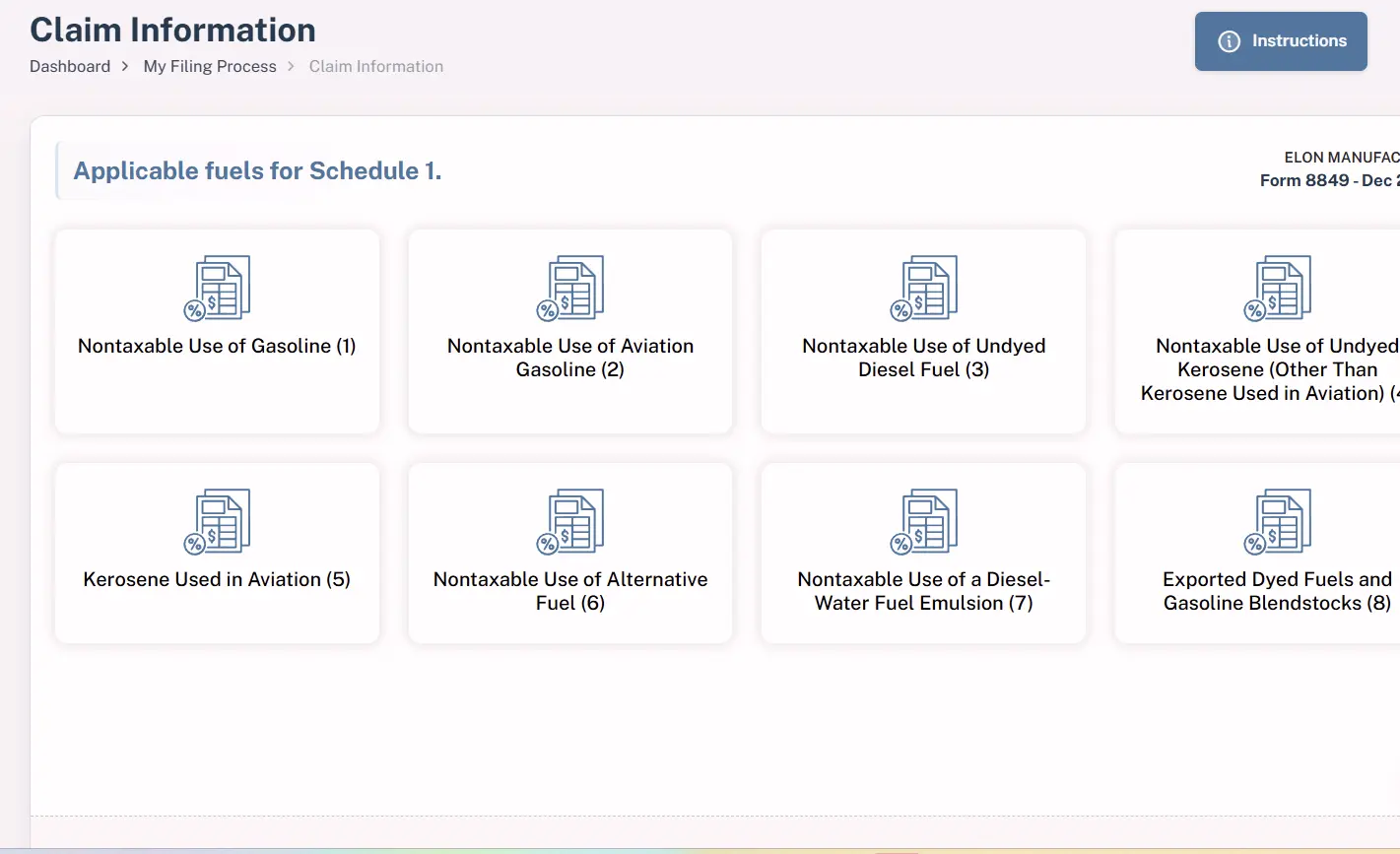
Step 5: Select the Applicable Fuels
Choose the fuel type(s) relevant to your business for which you are claiming a refund.
Make sure to select only those fuels that qualify for a refund under your specific use case (such as nontaxable use of gasoline or diesel), as this selection directly impacts the accuracy and eligibility of your claim.
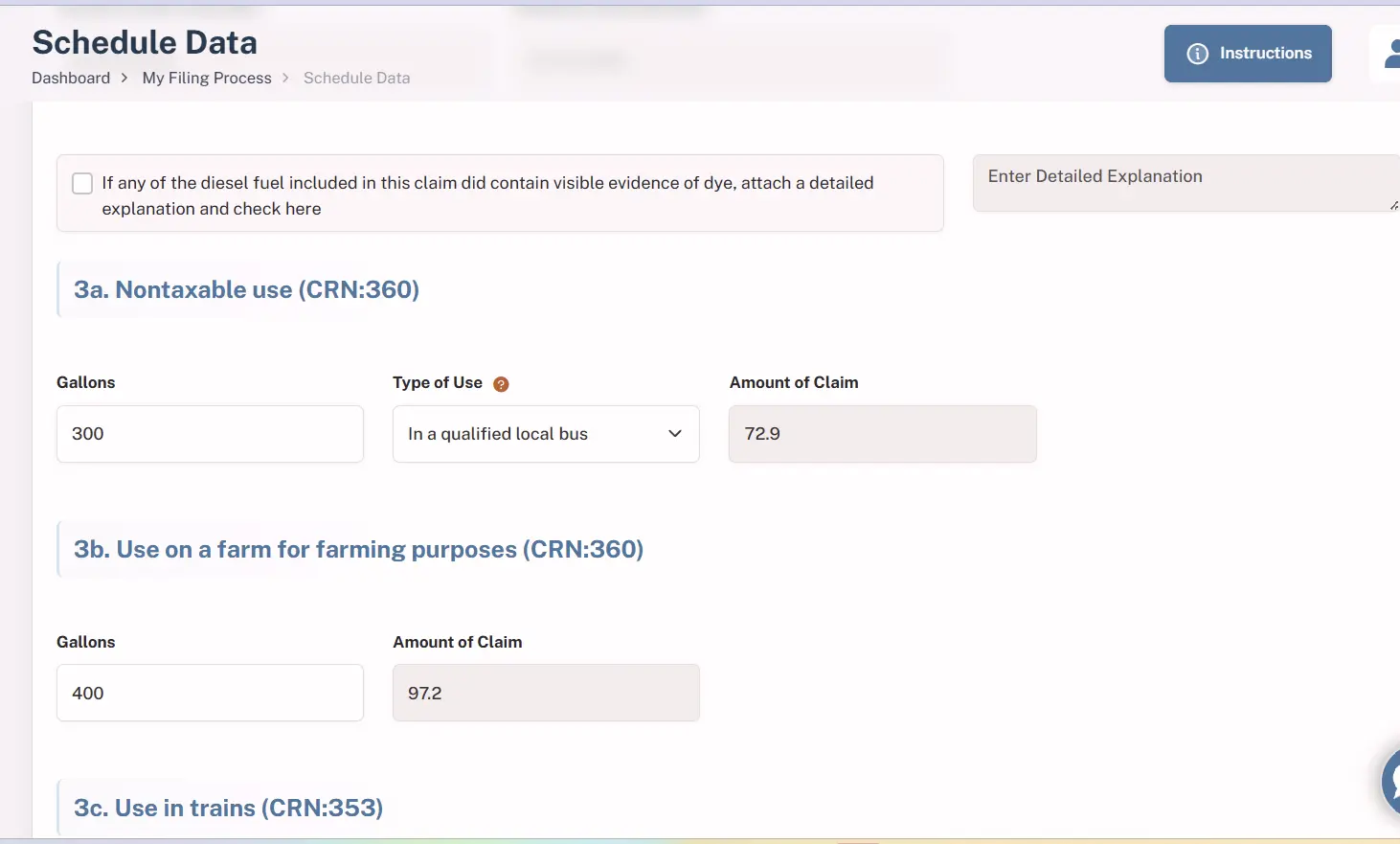
Step 6: Enter Tax Details for Refund Calculation
Provide the required tax details based on your selected fuel and usage to calculate the refund amount.
Ensure that all inputs are accurate, including quantities and applicable rates, as these directly determine the refund amount and help avoid delays or rejections during processing.
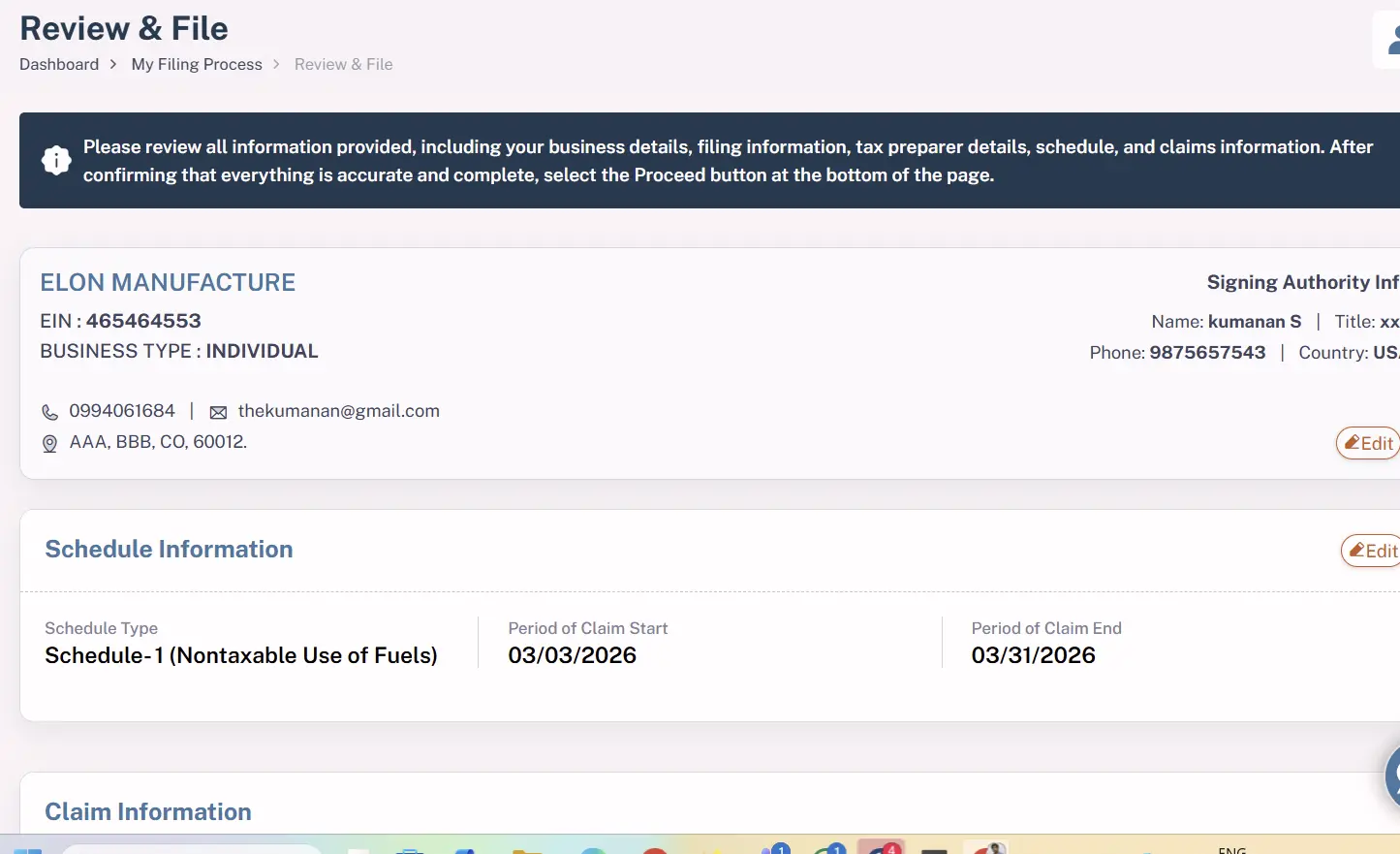
Step 7: Review and File
- A final summary of your claim will be displayed for review before submission. Carefully verify all the entered details, including the schedule information, fuel selection, and tax inputs, to ensure everything is accurate.
- Once you have confirmed that the information is correct, submit your claim to complete the filing process.
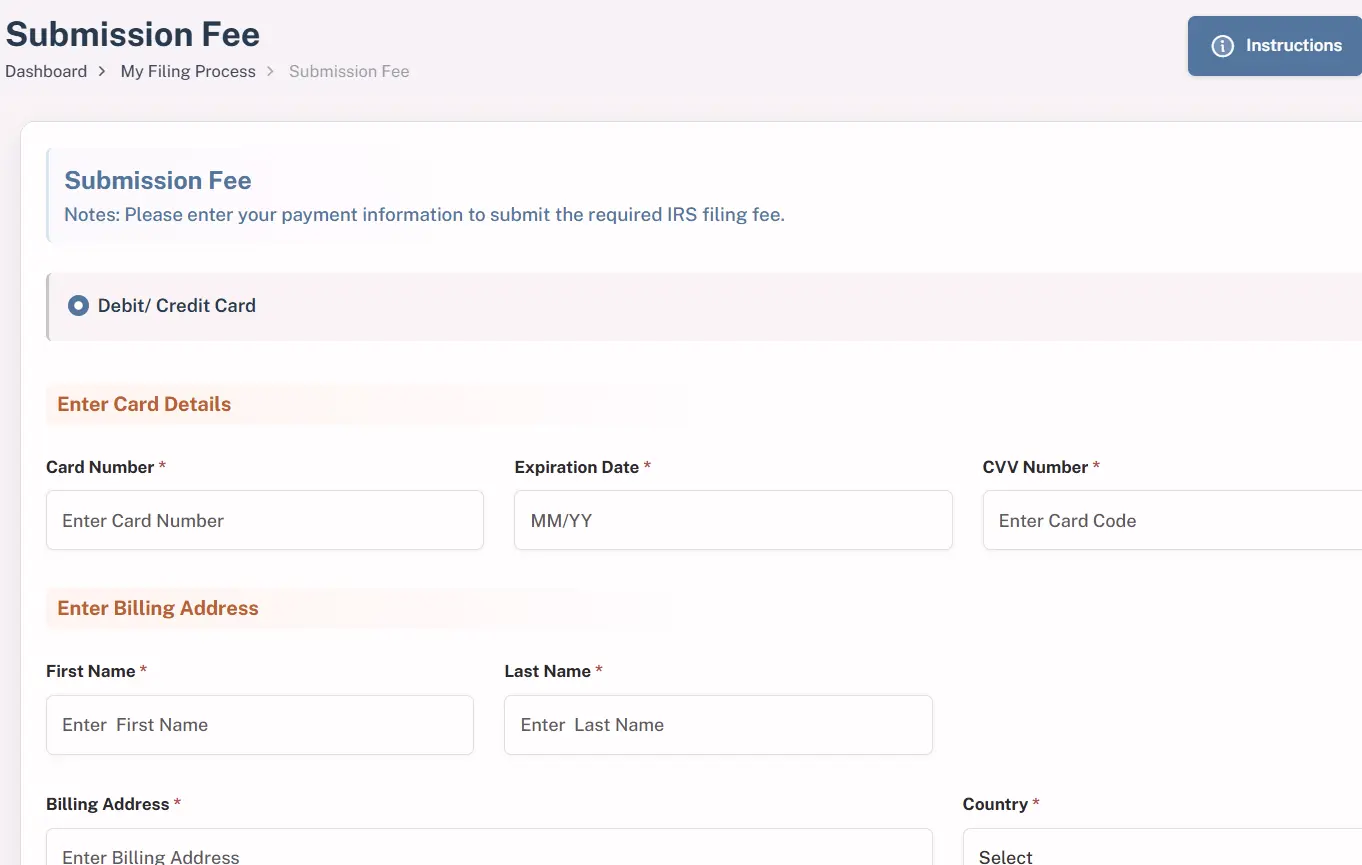
Step 8: Submission Fee
To complete your filing, pay the processing fee required for submission.
Only the service fee is charged at this stage, and once the payment is successful, your claim will be submitted to the IRS for processing.
Step 9: Refund Claim Confirmation
Once the payment is confirmed, your refund claim will be successfully submitted to the IRS. Upon approval, your refund will be processed within a few days!
Why Choose QuickFile720 for Form 8849 Claims? Our Exceptional Features
1. Trusted IRS-Authorized Platform - File Form 8849 Online with confidence using our IRS-authorized e-filing system, designed to ensure full compliance, data security, and a reliable filing experience.
2. Cost-Effective & Transparent Pricing - Benefit from our competitive processing fee of just $35.95 per filing, with no hidden charges. Get high-quality service at a price that works for you.
3. Structured & User-Friendly Interface - Manage all your refund claims in one organized place. Our guided system minimizes errors by allowing only relevant and applicable entries based on your selections.
4. Accurate & Error-Reduced Filing - Built-in validations and smart prompts help ensure that your claim is completed correctly, reducing the chances of rejection or delays.
5. Quick Acknowledgement from IRS - Receive prompt confirmation once your claim is accepted by the IRS, helping you stay updated on your filing status without delays.
Form 8849 Due Dates to remember
1. Schedules 1, 2, 3, and 8 - These claims must be filed by the end of the first calendar quarter following the claim period. In simple terms, once your claim period ends, you have until the end of the next quarter to submit your claim.
2. Schedules 5 and 6 - These claims follow a longer timeframe. You must file within 3 years from the date the original return was filed, or 2 years from the date the tax was paid—whichever gives you more time.
Detailed information on the purpose of Form 8849 and who is eligible to claim can be found on our Form 8849 Claims Online page.


