What is PCORI Fee?
The PCORI Fee, also known as the Patient-Centered Outcomes Research Institute Fee, is an excise tax levied on specified health insurance policies and self-insured health plans. This tax is used to support the funding of the Patient-Centered Outcomes Research Trust Fund, whose goal is to advance patient-centered outcomes and clinical effectiveness research.
The PCORI Fee falls under Sections 4375 and 4376 of the Internal Revenue Code. The tax is applicable to self-insured health plans and health insurers. The tax is charged using the average number of individuals that were covered by either the health insurer or self-insured health plan in the policy or plan year.
Self-employed business owners and employers who offer health plans are expected to report and remit the PCORI tax annually using IRS Form 720, with a due date of July 31st for payment of the tax. The calculation of the PCORI fee uses a set rate that differs depending on the policy or plan year.
PCORI Fee Tax - Step-by-Step Online Filing Guide(with QuickFile720)
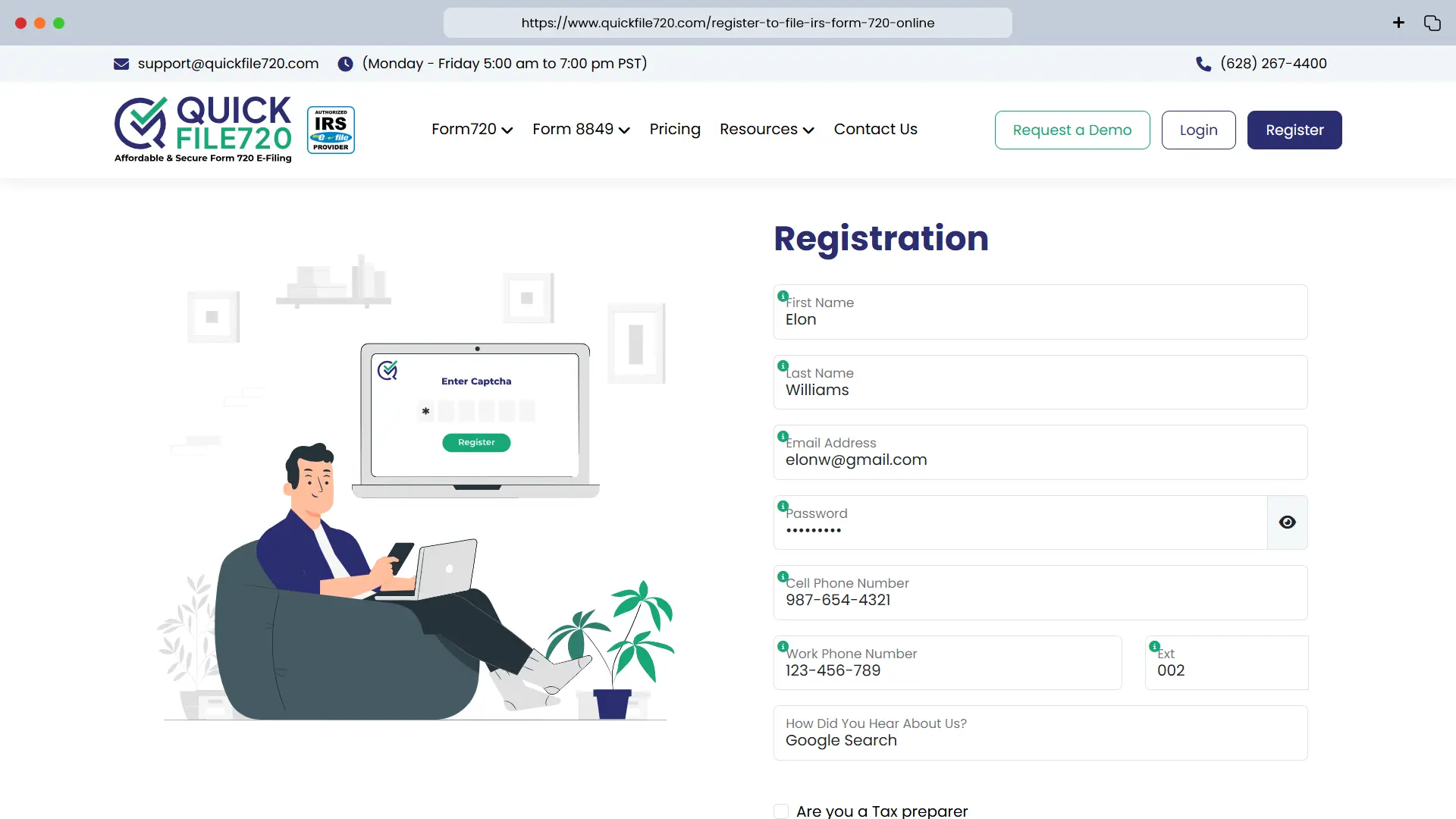
 Step 1: Registration/Login
- For New Users: Click the Register link and fill in your personal details to register. After registration, log into your account using your credentials.
- For Existing Users: Log into your account by using your credentials.
Step 2: Add New Business (For New Users)
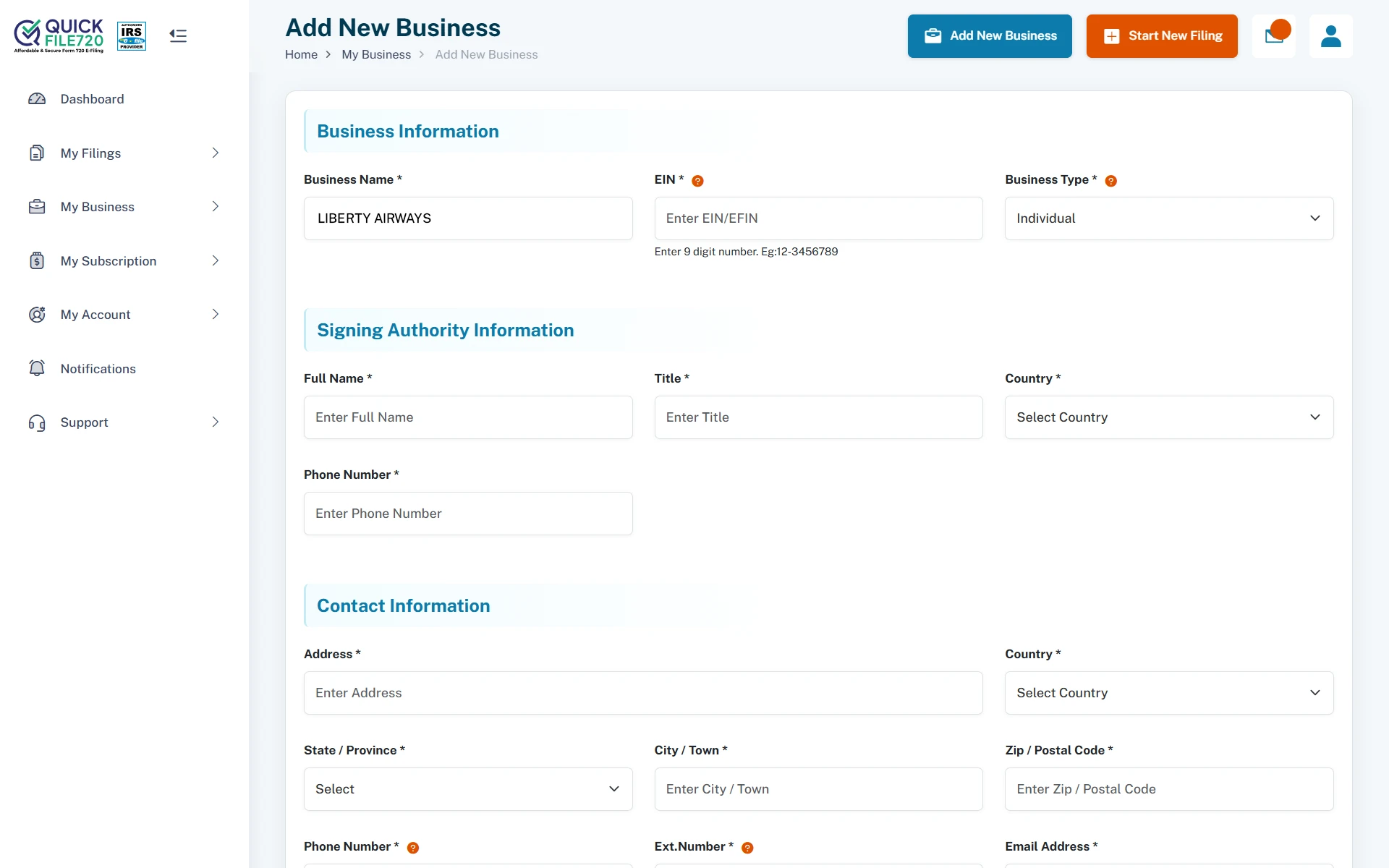
Click on Add New Business and enter your business details:
- Business Name
- Employer Identification Number (EIN)
- Business Type
- Address (with Zip Code) and Phone Number
- Signing Authority Information (Name, Title, Country, and Phone Number)
Your business information will be securely stored in our database for future filings.
- Existing Users: Select your already registered business from the drop-down menu.
Step 3: Select Form Type
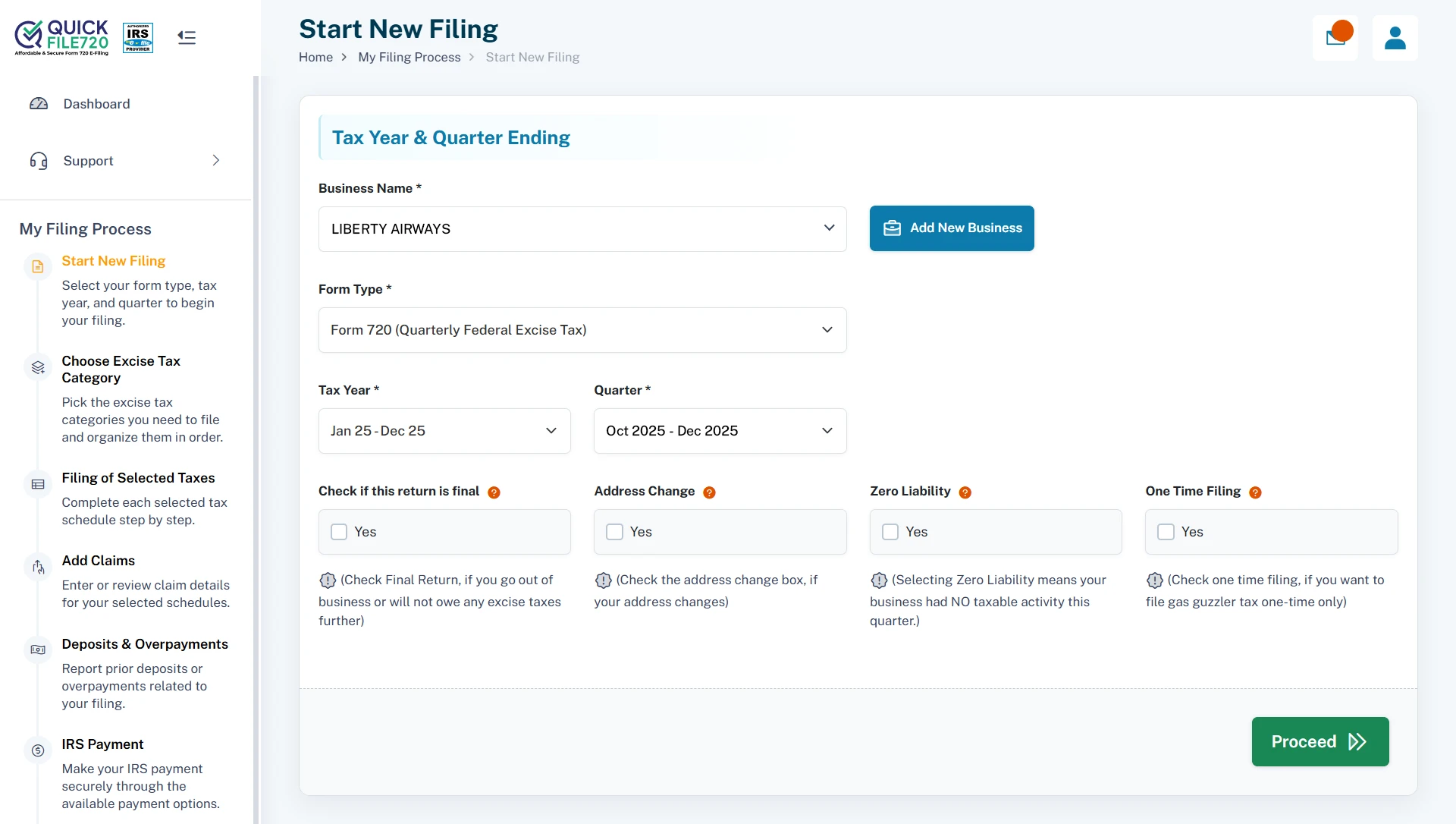
- From the dropdown menu, choose Form 720.
- Enter the Tax Year and select the correct quarter for your filing. For now we have an Exclusive quarter to be selected for PCORI Filing as the Pre-Filing window is open (Apr 2026 - Jun 2026 PCORI Pre-Filing).
Step 4: Choose Filing Options
Select any applicable options, such as:
- Final Return
- Address Change
- Zero Liability
- One-Time Filing
Choose the options that best apply to your situation, and proceed to the next step.
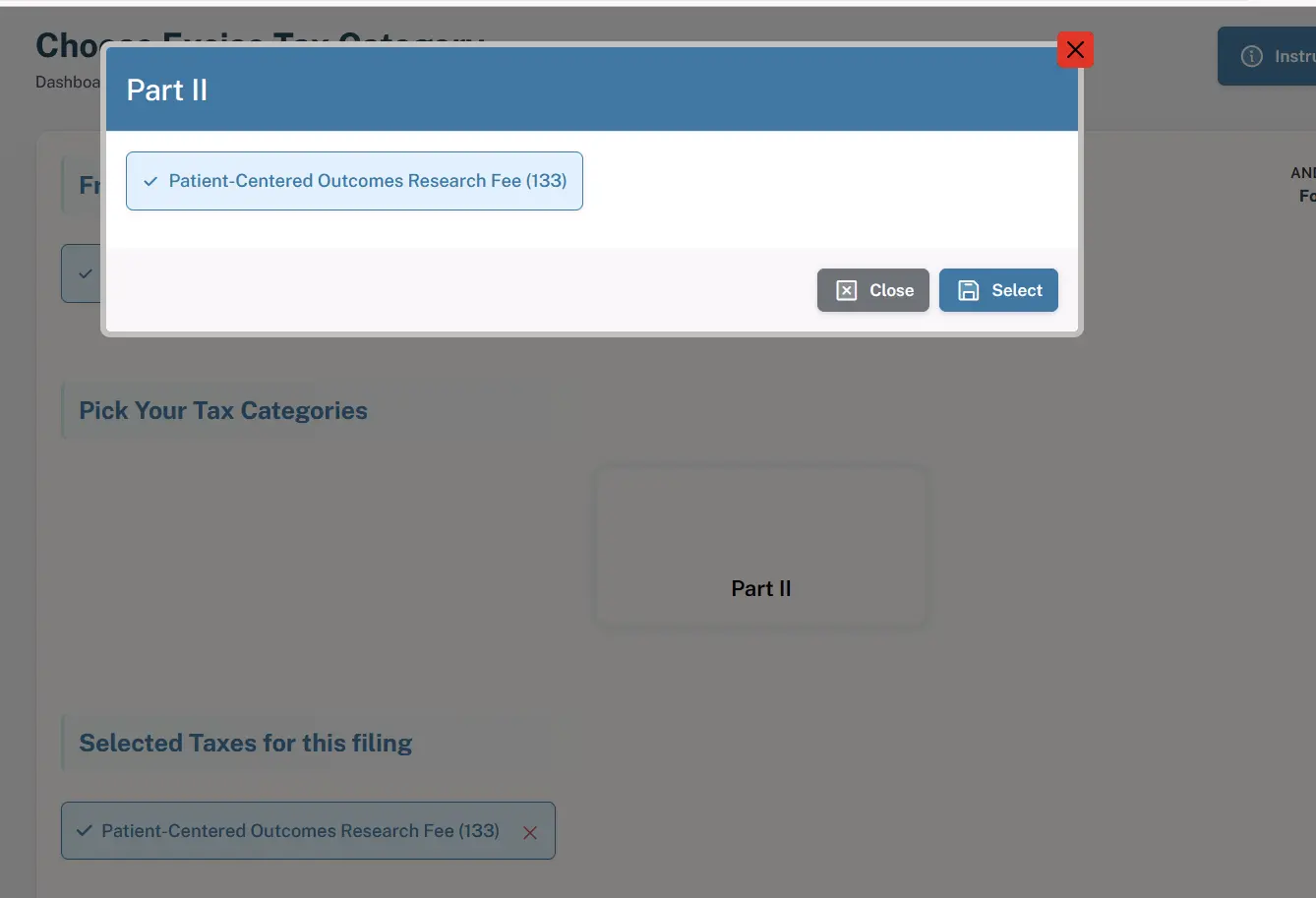
Step 5: Select PCORI Tax Category
- In this step, you will need to select the IRS Number 133 (Patient-Centered Outcomes Research Fee) option under the Part 2 Tax Category.
Step 6: Provide Tax Details
For PCORI filings, you will need to select the correct plan or policy end year from the available dropdown options. Then, enter the average number of covered lives accurately.
Please review all the information carefully, as these details will be used to calculate your PCORI Fee amount and determine the applicable fee rate.
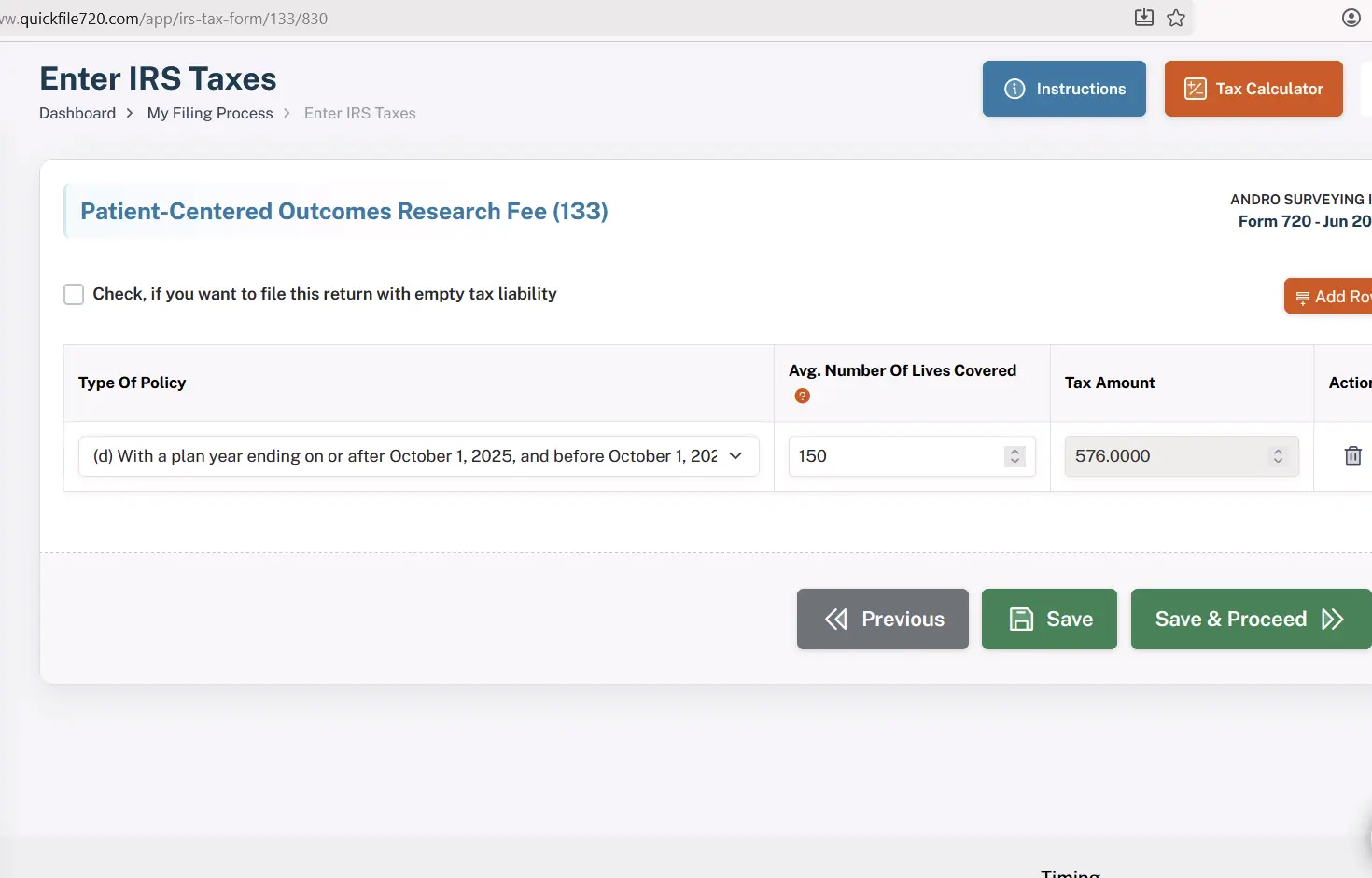
Step 7: Tax Calculation
- Our platform will automatically calculate your PCORI Fee amount based on the applicable PCORI Fee rate from the option selected.
- Review the calculated tax amount displayed on the screen.
Step 8: Claim Refunds (If Applicable)
- If you're eligible for any refunds, you will have the option to claim your refund at this stage.
- If you are not eligible for a refund, simply skip this step and proceed to payment.
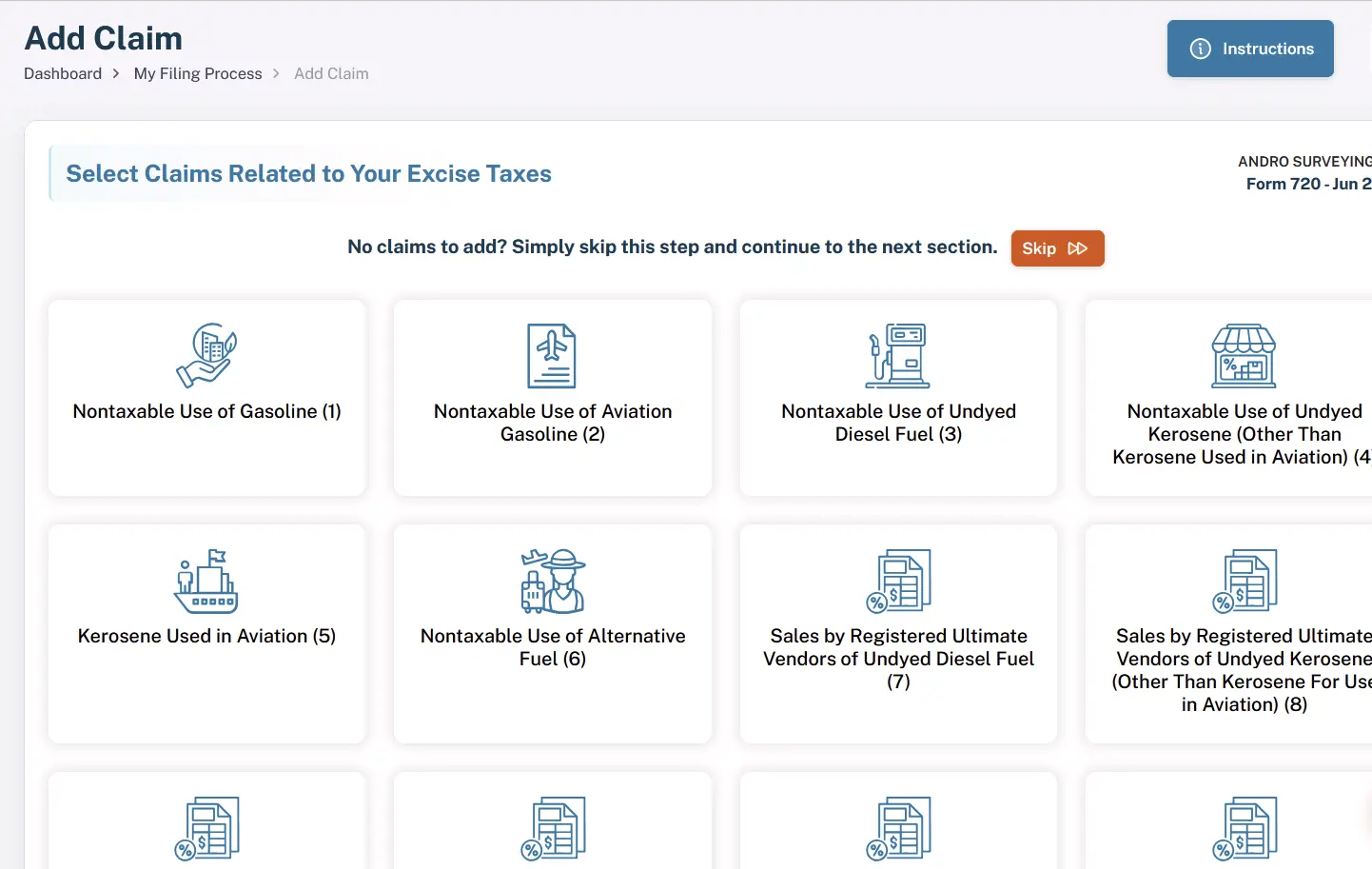
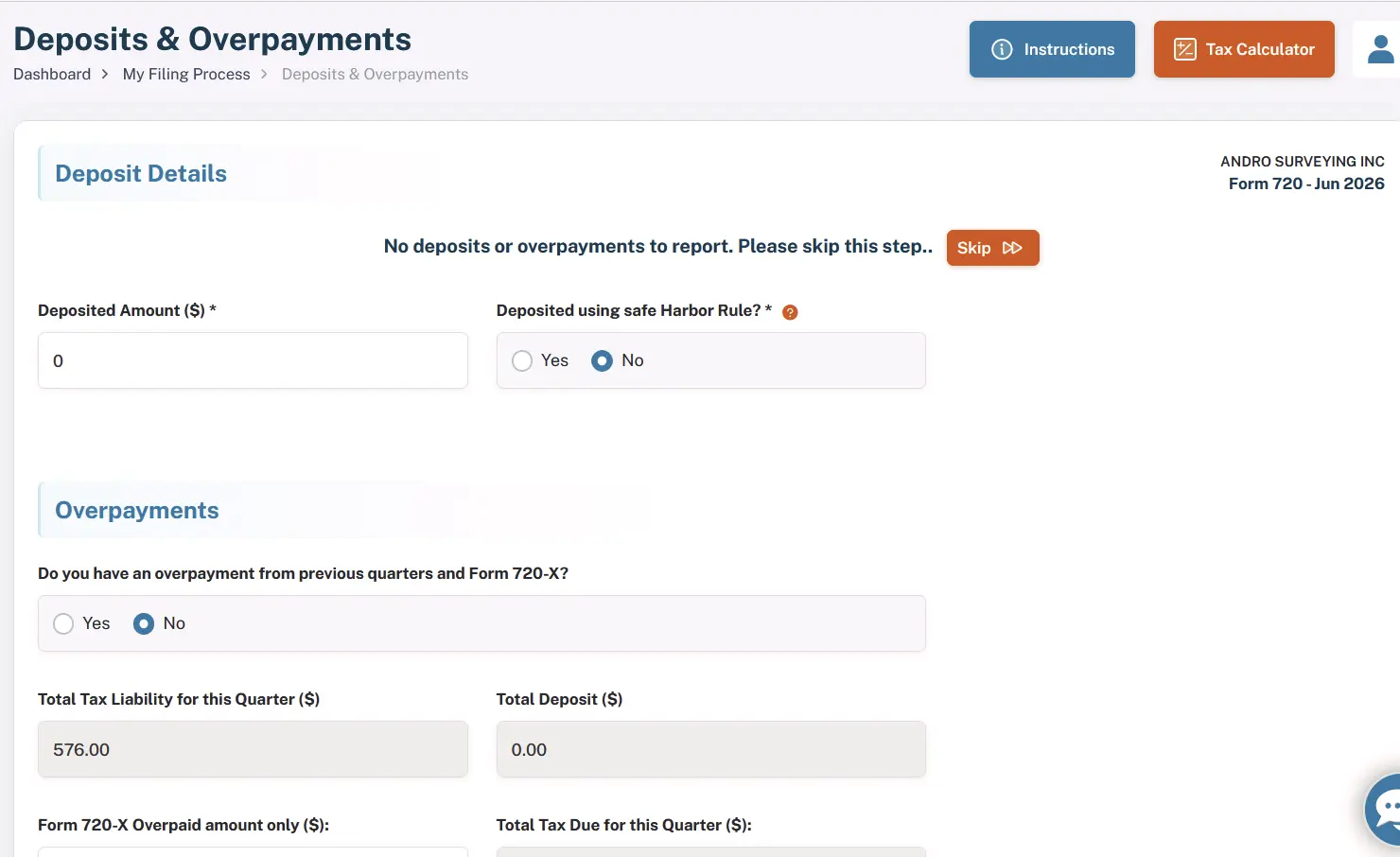
Step 9: Calculate Deposits or Overpayments for Payment Adjustment (If Applicable)
In this step, you will have the option to calculate any deposits or overpayments that may apply to your filing. If applicable, you can use these amounts to adjust your payment accordingly. If you are not eligible for any adjustments, simply skip this step and proceed to the next stage of the filing process.
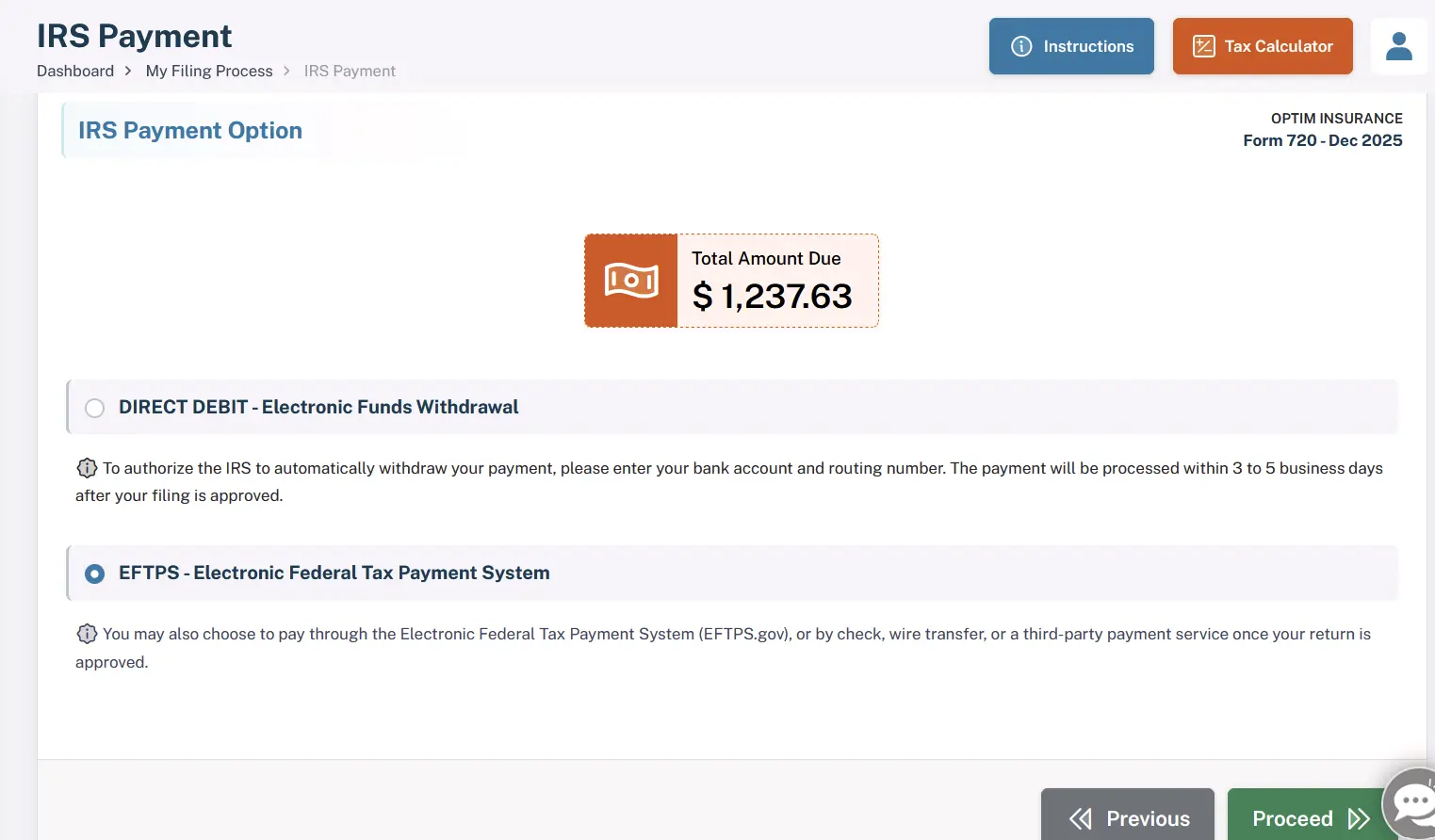
Step 10: Payment Options
Choose one of the following secure payment methods to complete your filing:
- DIRECT DEBIT (Electronic Funds Withdrawal)
- EFTPS (Electronic Federal Tax Payment System)
Step 11: Final Summary
Review the final summary of your filing, which will include:
- All options selected
- The PCORI Fee amount calculated to pay
Once you've verified the details, proceed to complete your payment.
Step 12: IRS Submission and Instant Acknowledgement
Once the processing of your PCORI Fee filing is complete, it will be successfully submitted to the IRS. You will receive an instant notification once the filing is approved. Typically, the IRS processes and approves your PCORI Fee filing within a few hours.
The process ensures that your PCORI Fee is filed securely, accurately, and on time. We are here to guide you through every step of the process, offering assistance whenever needed. E-filing the PCORI Fee has never been easier.
Why Choose QuickFile720 for Your PCORI Fee Filing? Our Exceptional Features
1. IRS-Authorized Portal – File with confidence on our trusted IRS-authorized PCORI platform, ensuring full compliance with all PCORI Fee filing requirements and the highest data security.
2. Most Affordable Portal – Most Affordable Portal - QuickFile720 offers a cost-effective solution for PCORI fee filing at just $35.95 per return with no hidden fees. Explore our subscription feature designed to support small businesses.
3. Auto-Correct and Auto-Calculate – Let QuickFile720 take care of the calculations. Our system auto-corrects any errors and auto-calculates the fee, saving you time and reducing the risk of mistakes.
4. Efficient Bulk Filing – QuickFile720 makes it easy to handle multiple PCORI Fee filings at once with our bulk filing feature. Streamline your process and submit multiple returns in a single, efficient step, perfect for organizations with numerous filings to manage.
PCORI Fee Due Dates
The PCORI Fee is filed annually and always falls in the second quarter. If the plan or policy year ends in a given year, the due date for the PCORI Fee filing will be on July 31st of the following year.
Example: If the plan or policy ends in 2025, the due date for the PCORI Fee will be July 31st, 2026.
Important Notes:
- If the PCORI Fee due date falls on a weekend or federal holiday, the deadline moves to the next business day.
- Many businesses choose e-file PCORI Fee to avoid delays and receive faster IRS acknowledgment.
- This filing helps businesses stay compliant with IRS reporting requirements for the annual PCORI Fee.
PCORI Tax Penalties (IRS Rules)
The penalties associated with the PCORI are identical to those for Form 720, as the tax is reported on the IRS Form 720, Quarterly Federal Excise Tax Return.
Below are the common penalties applicable to Form 720 filings.
| Penalty Type | Description | Penalty Amount |
|---|---|---|
| Late Filing Penalty | If Form 720 is filed after the due date and there is unpaid tax. | 5% of the unpaid tax per month (or part of a month), up to 25% of the total unpaid tax. |
| Late Payment Penalty | If the excise tax due is not paid by the filing deadline. | 0.5% of the unpaid tax per month, up to 25% of the unpaid tax. |
| Interest on Unpaid Taxes | Interest is charged on unpaid taxes and penalties until the balance is fully paid. | Interest accrues from the due date of the return until payment is made. |
| Failure to Deposit Penalty | If required excise tax deposits (such as semimonthly deposits) are not made correctly. | The penalty amount varies depending on how late the deposit is made. |
Read our PCORI Penalty Guide for a comprehensive understanding.
Important Notes:
- Both the late filing penalty and the late payment penalty may apply simultaneously, although the filing penalty may be reduced when both penalties occur in the same month.
- Interest will continue to accrue on any outstanding balance, including penalties, until the full amount is paid.
How to Avoid PCORI Fee - Form 720 Penalties
To avoid penalties and extra charges:
- File your PCORI Fee on time by the annual due date, generally July 31 of the year following your plan or policy year.
- Pay the full PCORI Fee amount when filing to prevent interest and late payment penalties.
- Verify the average number of covered lives used in your calculation to ensure accurate fee reporting.
- Use electronic filing through an IRS-authorized portal to reduce errors and receive instant confirmation of your submission.
Key Points to Remember - PCORI Fee
- Applicability: The PCORI Fee applies to plans and policies ending after September 30, 2012 and before October 1, 2029. This extension is based on the Further Consolidated Appropriations Act of 2020, which extended the fee through plan years ending before October 1, 2029.
- Fee Rate: For plan years ending October 1, 2024 – September 30, 2025, the rate is $3.47 per covered life. For plan years ending October 1, 2025 – September 30, 2026, the rate is $3.84 per covered life. (Rates are inflation-adjusted annually by the IRS.)
- Who Pays: The fee must be paid by Insurers of fully insured health plans and Self-insured plan sponsors of applicable health coverage
- Reporting & Payment: The PCORI Fee is reported annually using IRS Form 720, Part II, IRS No. 133. The filing is due by July 31 of the year following the end of the plan or policy year.
- Recordkeeping: Maintain accurate documentation of the average number of covered lives for each plan year, along with calculations used to determine the PCORI Fee. This ensures proper reporting and compliance with IRS requirements.