
QuickFile720
What Is the PCORI Fee for Retiree-Only Plans?
- The PCORI Fee for Retiree-Only Plans is the Patient-Centered Outcomes Research fee applied specifically to retiree-only health or major medical coverage.
- The IRS treats it the same way it treats coverage for active employees, just with a different population of covered lives. The fee runs through plan years ending before October 1, 2029.
Eligibility Criteria for Retiree-Only Plans
Retired Former Employees
A retiree-only plan is built around workers who have already separated from active service, not staff still on the payroll. Each retiree enrolled counts as a covered life when you calculate the PCORI fee for retiree-only plans, the same way an active employee would on a standard group plan.
Spouses of Retirees
Many employer-sponsored retiree plans extend coverage to the retiree's spouse alongside the retiree, a benefit some employers and unions offer to both the retiree and their spouse. Each enrolled spouse adds a separate covered life to your average count for that plan year, rather than getting bundled with the retiree on one line.
The Active Employee Threshold
A plan only qualifies as retiree-only if it covers fewer than two current employees on the first day of the plan year. That headcount decides plan-level eligibility before you ever get to counting covered lives for the PCORI fee for retiree-only plans.
Mixed Populations Lose the Exemption
If two or more active employees ever enroll in the same plan as the retirees, that coverage no longer qualifies for retiree-only treatment, since the exemption only applies when retiree benefits aren't shared with two or more enrolled current employees. Once that happens, those covered lives get reported and assessed the fee the same way any other applicable self-insured health plan would be.
Challenges Faced When Paying the PCORI Fee for Retiree-Only Plans Manually

Scattered Enrollment Data
Retiree rosters often live in a different system than active-employee data, so you're pulling covered-life counts from two places instead of one. That split makes it easy to double-count or miss someone.

Method Selection Confusion
Deciding between actual count, snapshot, or Form 5500 method gets harder when retiree and active populations are tracked differently. Picking the wrong method without documentation to back it up invites questions later.

Manual Form 720 Errors
Entering retiree-only figures by hand on Form 720, Part II, IRS No. 133 leaves room for typos with no system flagging a mismatched total. A small transposition error can throw off the whole filing.

Paper Trail Management
Plan documents, retiree counts, and payment confirmations for a separate retiree-only filing add another stack of paper to track. Misplacing any one piece makes an audit response slower than it needs to be.

Payment Tracking Headaches
Confirming that a mailed payment matched the retiree-only filing takes manual follow-up with no instant confirmation. That gap leaves sponsors unsure whether the IRS actually received what was sent.
Why You Should File the PCORI Fee for Retiree-Only Plans Online?
Faster IRS Acknowledgment
IRS staffing shortages and processing backlogs are slowing down paper submissions right now. Submitting your PCORI Fee for Retiree-Only Plans electronically cuts that wait time significantly compared to mailing a paper return.
Fewer Calculation Errors
Once you input your retiree count, an online portal calculates the fee for you automatically. Skipping the manual math eliminates the arithmetic slip-ups that lead to most line 133 errors on paper filings.
Digital Recordkeeping
Your filings, payment confirmations, and chosen counting method all stay stored in one online account rather than scattered across paper files. Retrieving your retiree-only filing history becomes a quick lookup instead of a search through old folders.
IRS-Preferred Payment Options
Electronic PCORI Fee Payment is the method the IRS recommends whenever it's an option. Handling your retiree-only submission and payment online puts you in step with that guidance from the outset.
Why You Need to File the PCORI Fee for Retiree-Only Plans With QuickFile720?
IRS-Authorized E-File Provider
The IRS has directly authorized QuickFile720 to handle Form 720 e-filing, the PCORI line included. Submissions typically receive IRS acknowledgment within minutes rather than days.
AICPA SOC-Certified Security
AICPA SOC certification standards govern how retiree data and plan details are managed on the platform. That gives your sensitive information the same level of protection CPAs and TPAs already expect from a compliant system.
Built for Retiree Filings
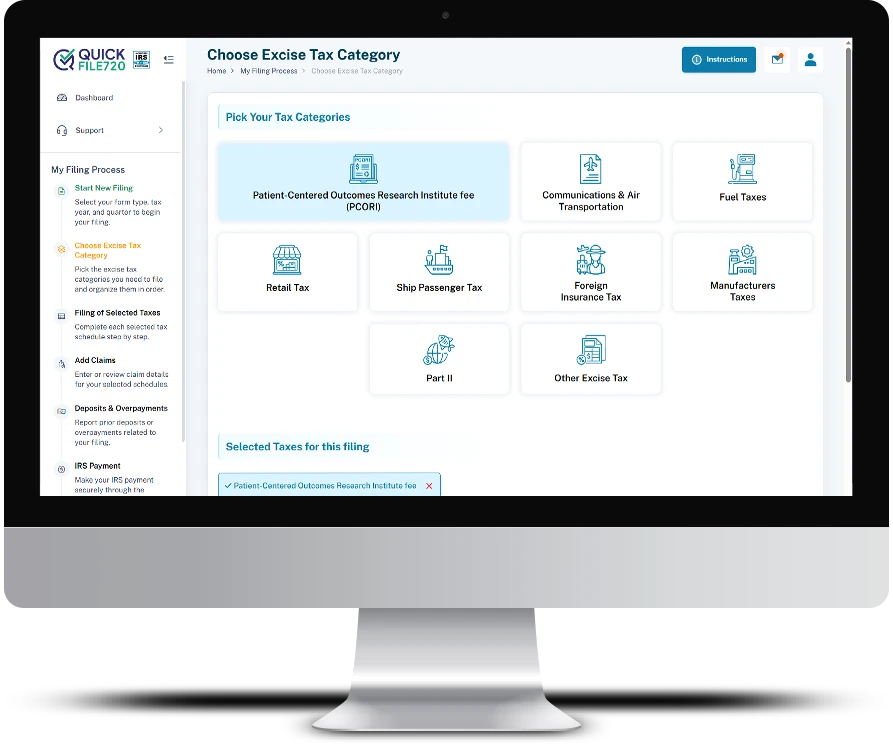
The portal treats retiree-only coverage as its own distinct category, kept apart from active-employee plan filings. Keeping that line clear helps your covered-life numbers stay accurate and your counting method properly documented.
Affordable, No-Download Filing
Nothing needs to be installed, and there's no per-form licensing structure to work through. Logging in, filing, and paying all happen from a browser.
Testimonials
Finally, One Place for Retiree Filings
We sponsor a self-insured plan for retirees separate from our active staff, and tracking PCORI for both used to mean two spreadsheets and a lot of double-checking. QuickFile720 lets us file the retiree-only piece on its own without the confusion.
Caught Our Method Mistake Early
Our TPA flagged that we'd been using the wrong covered-life method for our retiree plan for two years. Switching to QuickFile720 made picking the right method and documenting it simple.
No More Mail Delays
Mailing our retiree-only Form 720 always left us guessing whether the IRS got it on time. Filing online means we get confirmation the same day instead of waiting weeks.
File Your PCORI Fee for Retiree-Only Plans Before July 31
The deadline is not flexible. The system QuickFile720 calculates, files, and submits the Form 720 to the IRS in only a few steps, without using paper and without any guessing.
Create Your Free Account and File your PCORI Fee Online Today
File Online Now